Parimatch App Canada: Download, Mobile Access & Security Guide
Mobile gambling is convenient. That is exactly why it needs discipline. A casino or sportsbook on your phone is available at work, at home, on the couch, after a drink, during a game, and at 1:30 in the morning when decision quality is usually lower. The technology can be useful. The access can also become too easy.
For: Eligible Canadian players, 18+/19+ depending on province or territory. Gamble responsibly.
Mobile gambling is convenient. That is exactly why it needs discipline.
A casino or sportsbook on your phone is available at work, at home, on the couch, after a drink, during a game, and at 1:30 in the morning when decision quality is usually lower. The technology can be useful. The access can also become too easy.
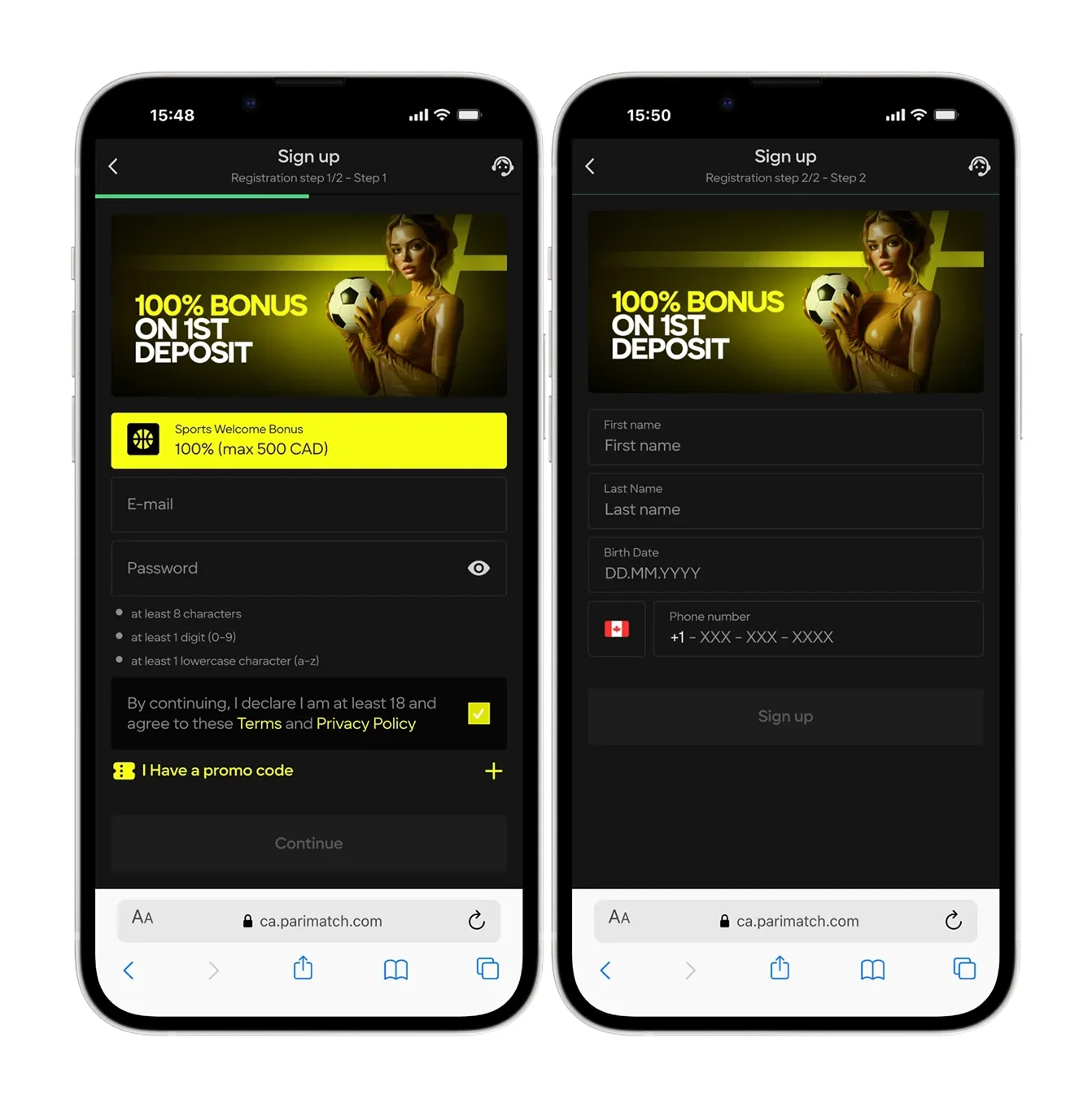
For eligible Canadian players in accepted provinces or territories, Parimatch may offer mobile access through a responsive mobile site, Android APK, iOS app where available, or a home-screen web app setup. Availability depends on device, region, app-store rules, and current operator access.
Mobile gambling access can vary across Canada. Your current location, account eligibility, payment method, device settings, and local rules may affect whether Parimatch works on your phone. If you see a restriction notice, do not try to bypass it with VPNs, alternate SIMs, or fake location tools.
Canadian players in accepted locations may be able to use Parimatch on mobile through the mobile website, Android APK, iOS app, or PWA-style home-screen shortcut. Android users should only download APK files from the official Parimatch site. iPhone users should check official App Store availability or use Safari’s Add to Home Screen option. Never install gambling apps from forums, Telegram channels, file-sharing sites, or unknown APK mirrors.
Parimatch Mobile Access at a Glance
Here is the practical version before you install anything.
| Mobile Option | Best For | Main Risk |
|---|---|---|
| Mobile website | Fast access without installation | Browser tabs, weaker app-style controls. |
| Android APK | Android users outside app-store availability | Fake APK and malware risk. |
| iOS app | iPhone users if officially available | Regional App Store restrictions. |
| PWA / Home-screen shortcut | App-like access without download | Still depends on browser/web session. |
| Tablet access | Bigger screen for live casino or betting slips | Easy to overplay in long sessions. |
The safest route is always the official route. If you are unsure whether an app file is real, do not install it.
Android Users: APK Download & Installation
Android gives users more freedom than iOS. That freedom is useful and dangerous.
If the Parimatch app is not available in your regional Google Play Store, the operator may offer an Android APK file through its official website. APK stands for Android Package Kit. It is the file format used to install Android apps outside the Play Store.
That process is called sideloading.
Sideloading is not automatically unsafe. Downloading from the wrong source is.
How to Install an APK Safely
Use this checklist.
- Start from the official Parimatch website
Do not search “Parimatch APK download” and click a random result. - Check the domain
Make sure you are on the real operator site, not a clone. - Download from the mobile app page
Use the official app/download button only. - Allow installation temporarily
Android may ask you to permit installation from your browser or file manager. - Install the APK
Complete the installation. - Turn the permission back off
Do not leave “install unknown apps” enabled. - Log in carefully
Confirm the interface, balance, and account details look correct. - Enable device security
Use screen lock, biometrics, and account-level protection if available.
Do not install multiple APKs from different sources. If you are testing files, you are already in the danger zone.
Fake APK Trap
Fake gambling APKs are not theoretical. They are a real risk.
A fake app can:
- steal your login credentials;
- read SMS or notification codes;
- capture payment information;
- redirect deposits;
- inject fake cashier screens;
- install spyware;
- access clipboard data;
- drain your account balance;
- compromise other banking apps.
Never download a Parimatch APK from:
- Telegram groups;
- Reddit comments;
- APK mirror sites;
- file-sharing platforms;
- “modded app” sites;
- bonus-code blogs;
- YouTube description links;
- WhatsApp forwards;
- unknown QR codes.
A gambling app has access to money. Treat it like a banking app.
iOS Users: iPhone and iPad Access
iPhone access depends on App Store availability, region, and current operator distribution.
If an official Parimatch iOS app is available in your region, install it through the App Store only. Do not use third-party iOS profiles, enterprise certificates, or “install without App Store” links unless you are fully certain they are official and permitted.
For most players, the cleaner option is:
- Open Safari.
- Go to the official Parimatch site.
- Log in or register.
- Tap Share.
- Tap Add to Home Screen.
- Use the home-screen icon like an app.
This creates an app-like shortcut. It is not the same as a native app, but it is safer than installing strange iOS profiles.
PWA or Mobile Website?
A PWA-style shortcut can be enough for most players.
| Option | Advantage | Limitation |
|---|---|---|
| Native app | Faster login, smoother interface, push notifications | Installation and regional availability. |
| Mobile website | No download, easy access | Browser session can be less stable. |
| PWA shortcut | App-like icon, no APK risk | Still web-based under the hood. |
If you only play occasionally, the mobile website or home-screen shortcut may be the smarter choice.
Why Use the App Instead of Browser?
A good mobile app can improve convenience and session stability.
Useful features may include:
- faster login;
- biometric access;
- cleaner betting slip;
- smoother live betting;
- push notifications;
- saved preferences;
- easier cashier access;
- faster navigation between sportsbook and casino;
- better performance than mobile browser on some devices.
But convenience is not automatically good.
Push notifications, one-tap deposits, and fast re-entry can encourage impulsive sessions. If you use the app, turn on responsible gambling tools immediately.
Mobile Security: Protecting Your CAD Balance
Your phone is now part of your gambling account security.
Use these rules.
1. Avoid Public Wi-Fi
Do not log in, deposit, withdraw, or complete KYC over public Wi-Fi in airports, cafés, hotels, bars, or arenas.
Use trusted home Wi-Fi or mobile data.
2. Use a Strong Device Lock
Set:
- Face ID;
- Touch ID;
- fingerprint lock;
- strong passcode;
- automatic screen lock.
If someone can open your phone, they may be able to open your betting account.
3. Use Strong Account Credentials
Do not reuse your email password.
Use a unique password for Parimatch and a password manager if possible.
4. Do Not Share Screenshots Carelessly
Screenshots may show:
- account ID;
- balance;
- email;
- transaction numbers;
- promo codes;
- betting slips;
- KYC status.
Blur sensitive details before sharing with support or anyone else.
5. Keep Your Phone Updated
Security updates matter. Old Android builds and outdated browsers create unnecessary risk.
6. Do Not Use VPNs
A VPN can trigger location mismatch, account review, withdrawal delay, or bonus cancellation.
If your province or territory is not accepted, a VPN does not make Parimatch safe to use. It makes the account risk worse.
Geolocation and Location Permission
Betting operators use location checks to confirm where you are playing from.
The app or mobile site may request location access. If permission is denied, blocked, or distorted by VPN, the site may refuse login or real-money play.
Common causes of location errors:
| Cause | Fix |
|---|---|
| VPN enabled | Turn it off. |
| GPS disabled | Enable location services. |
| Browser location blocked | Allow location for the official site. |
| App permission denied | Enable location in phone settings. |
| Weak signal | Move near a window or use mobile data. |
| Province or territory restriction | Do not bypass; use a legal local operator. |
| Old app version | Update or reinstall from official source. |
Location errors are annoying, but do not solve them by faking your location.
Mobile Cashier: Deposits and Withdrawals
A good mobile cashier should let you deposit and request withdrawals without switching to desktop.
For Canadian players, check whether the mobile cashier supports your preferred CAD method, such as Interac, cards, bank transfer, or other available options.
Before depositing on mobile:
- confirm currency is CAD;
- use only payment methods in your own legal name;
- check minimum deposit;
- check fees if any;
- confirm bonus opt-in status;
- screenshot confirmation if needed;
- avoid depositing while distracted.
Mobile deposits feel smaller because they are fast. They are not smaller.
Mobile Betting and Live Casino Risks
Mobile is useful for sports betting and quick casino access, but the small screen can create mistakes.
Watch for:
- wrong stake amount;
- accidental bet confirmation;
- odds changing before acceptance;
- duplicate bets after lag;
- live casino timer pressure;
- poor stream quality;
- misreading bonus balance as cash balance;
- switching between apps during live rounds;
- low battery during active play.
If you are placing serious bets, slow down. A desktop screen is often safer for complex slips or large live casino hands.
Troubleshooting Common App Problems
Use this table before contacting support.
| Problem | Likely Cause | What to Do |
|---|---|---|
| App will not install | APK permission blocked | Allow install from browser temporarily, then disable it. |
| App not available | Regional store restriction | Use official mobile site or PWA shortcut. |
| Location error | GPS, VPN, or local restriction | Enable GPS, disable VPN, check eligibility. |
| Login fails | Wrong password, cached session, verification issue | Reset password or clear app cache. |
| App freezes | Cache, old version, weak connection | Restart, update, clear cache, switch network. |
| Deposit page fails | Bank redirect or browser conflict | Try mobile data, different browser, or desktop. |
| Push notifications missing | Permission disabled | Enable notifications in phone settings. |
| Biometric login fails | Token expired or phone setting changed | Log in manually and re-enable biometrics. |
| Balance not updated | Transaction pending or delayed refresh | Refresh, wait, then contact support with transaction ID. |
Still cannot log in? Read the Full Login Guide →
Responsible Gambling on Mobile
Install the app only if you can manage access.
Set controls immediately:
- deposit limits;
- loss limits if available;
- session reminders;
- cooling-off periods;
- self-exclusion if needed;
- notification controls;
- no gambling while drinking;
- no late-night chasing;
- no betting during work stress.
Turn off promotional push notifications if they tempt you to deposit.
The app should be a tool, not a trigger.
Important Availability Note for Ontario Players
From my latest check, Parimatch was not available in Ontario and was not listed in the official iGaming Ontario regulated market directory at the time of review.
If you are physically located in Ontario, use an operator registered with the AGCO and operating under the iGaming Ontario framework instead. Do not use an APK, VPN, alternate SIM, fake location tool, or non-local app setup to bypass restrictions.
Ontario players can check the official iGaming Ontario regulated market directory for licensed operators.
Final Take: Mobile Access Is Useful, But Risky
Parimatch mobile access can be convenient for eligible Canadian players in accepted locations. The app or mobile site may make sportsbook betting, casino play, deposits, withdrawals, and account management faster.
That convenience is also the risk.
Only use official download sources. Avoid third-party APKs. Keep your phone locked. Do not gamble on public Wi-Fi. Do not use VPNs. Confirm CAD before depositing. Set limits before the first session, not after a bad one.
The safest app is still unsafe if the player has no discipline.
How to verify what is on this page
- igamingontario.ca — iGaming Ontario — the register of operators legally permitted to serve Ontario players. Check any brand here before depositing.
- agco.ca — AGCO — the regulator that sets Ontario’s internet gaming standards, including advertising and bonus-inducement rules.